

Data and trash
Import and export data, reset settings, and restore deleted items from the trash.
Last updated on
Storage: import and export data
Settings → System → Storage is for importing, exporting and resetting data. It is not a space quota.
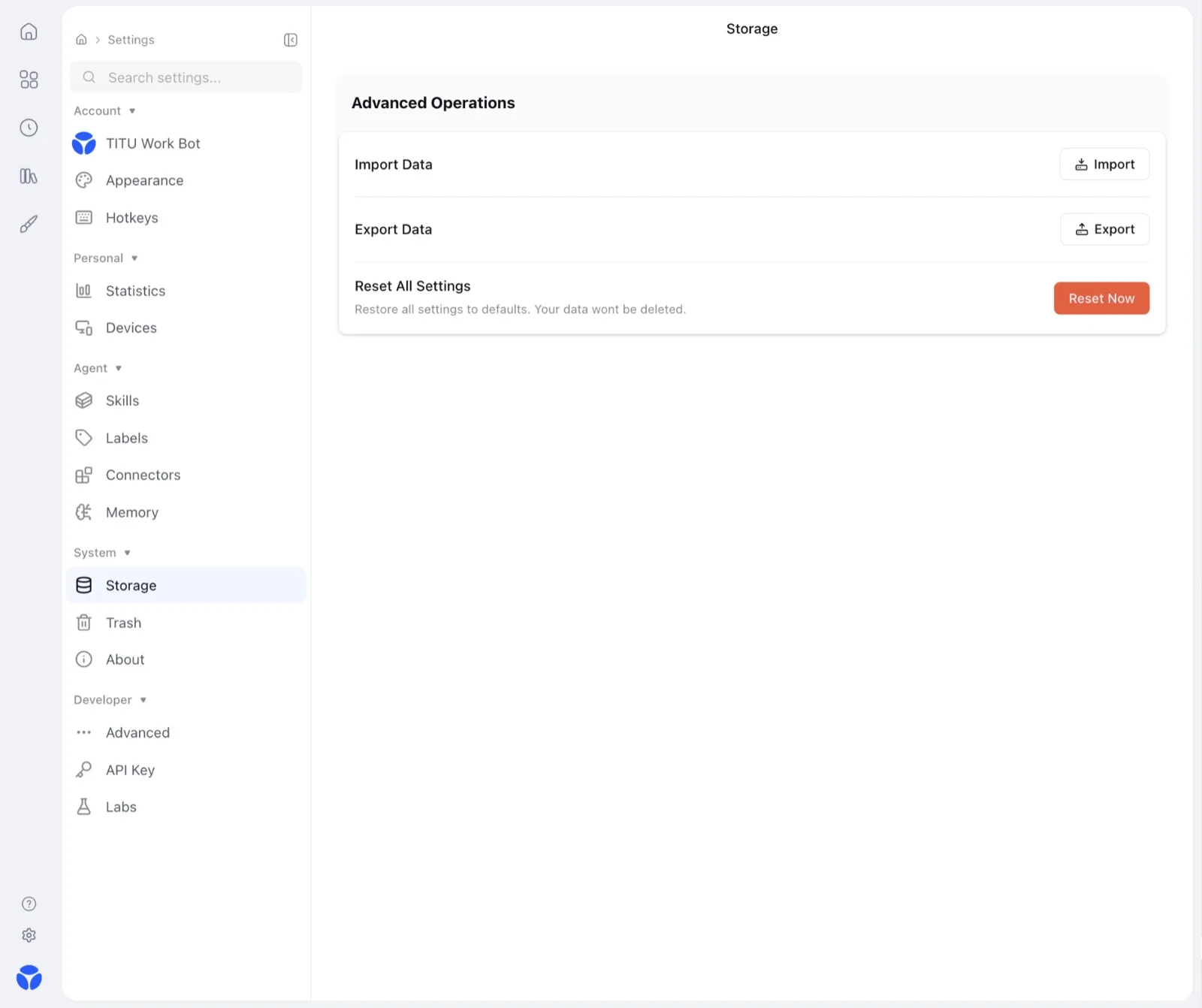
- Import Data → Import: import data.
- Export Data → Export: export data.
- Reset All Settings → Reset Now: restore all settings to their defaults. Your data is not deleted.
Be careful with Reset Now
Reset Now restores all settings to their defaults, so do not click it casually.
Trash
Deleted chats, agents and messages go to the trash and are kept for 30 days, after which they are deleted permanently.
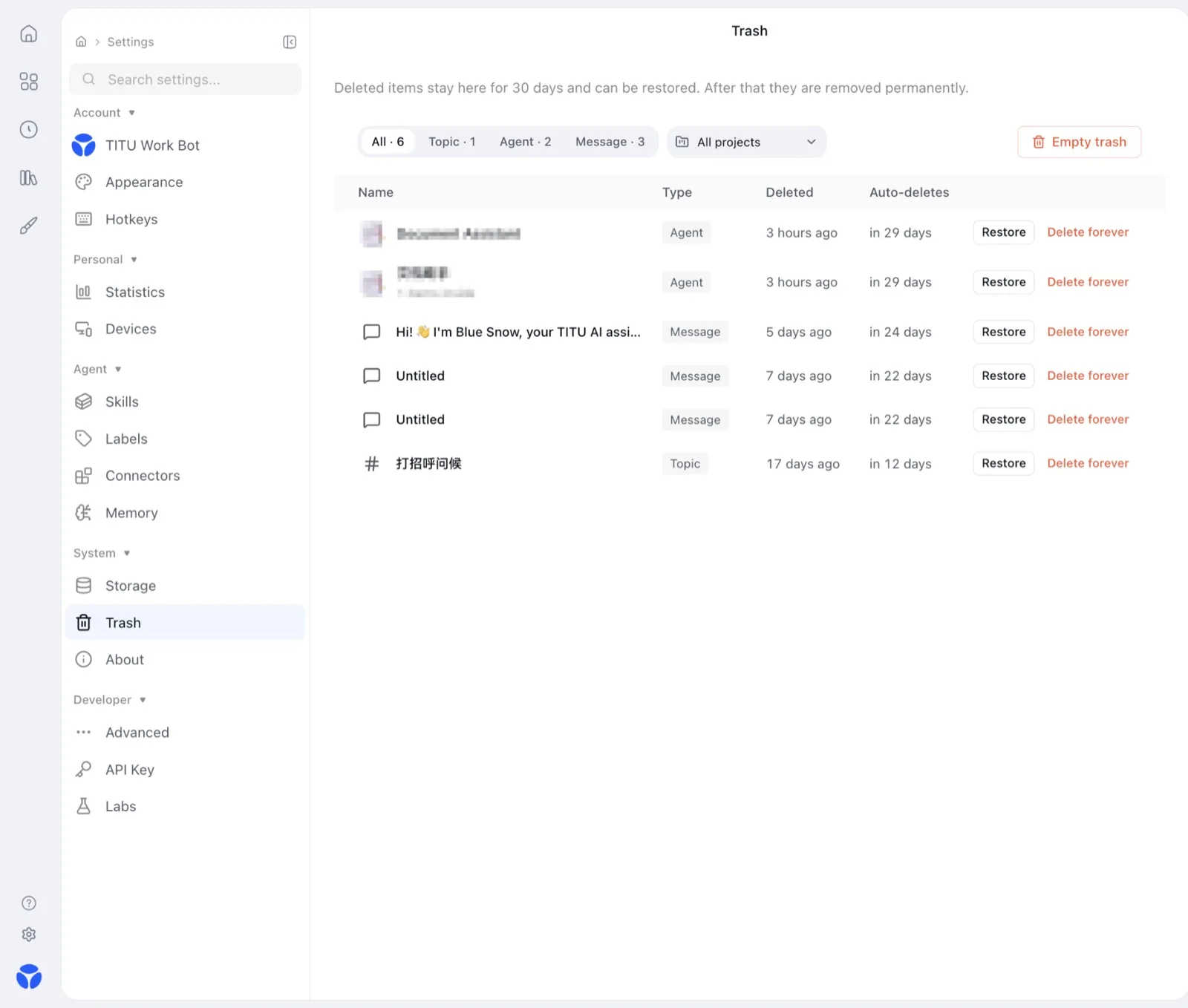
- Filters: All, Topic, Agent, Message, and an All projects dropdown.
- Table columns: Name, Type, Deleted, Auto-deletes.
- Each row has Restore and Delete forever on the right.
- Empty trash at the top right clears the whole trash.
To get back something you deleted by mistake: go to Settings → Trash, find its row and click Restore.
Permanent deletion cannot be undone
Delete forever and Empty trash cannot be undone. Confirm before you use them.
Was this page helpful?