

Skills
A Skill is a set of working methods added to an agent, such as handling Excel or generating slides. Learn where skills come from, and how to view and uninstall them.
Last updated on
A Skill is a set of working methods added to an agent. Handling Excel sheets, writing Word documents and generating presentations can each be backed by a skill that supplies the steps and materials, so the agent does the same kind of work in a consistent way.
Where skills come from
| Type | Description |
|---|---|
| Built-in skills | Provided with the product and listed under Built-in Skills in Settings → Skills, for example Artifacts and TITU Work |
| Community skills | Browse them under the Skills tab in Community, or install them from the Skill Store; they are listed under Community Skills |
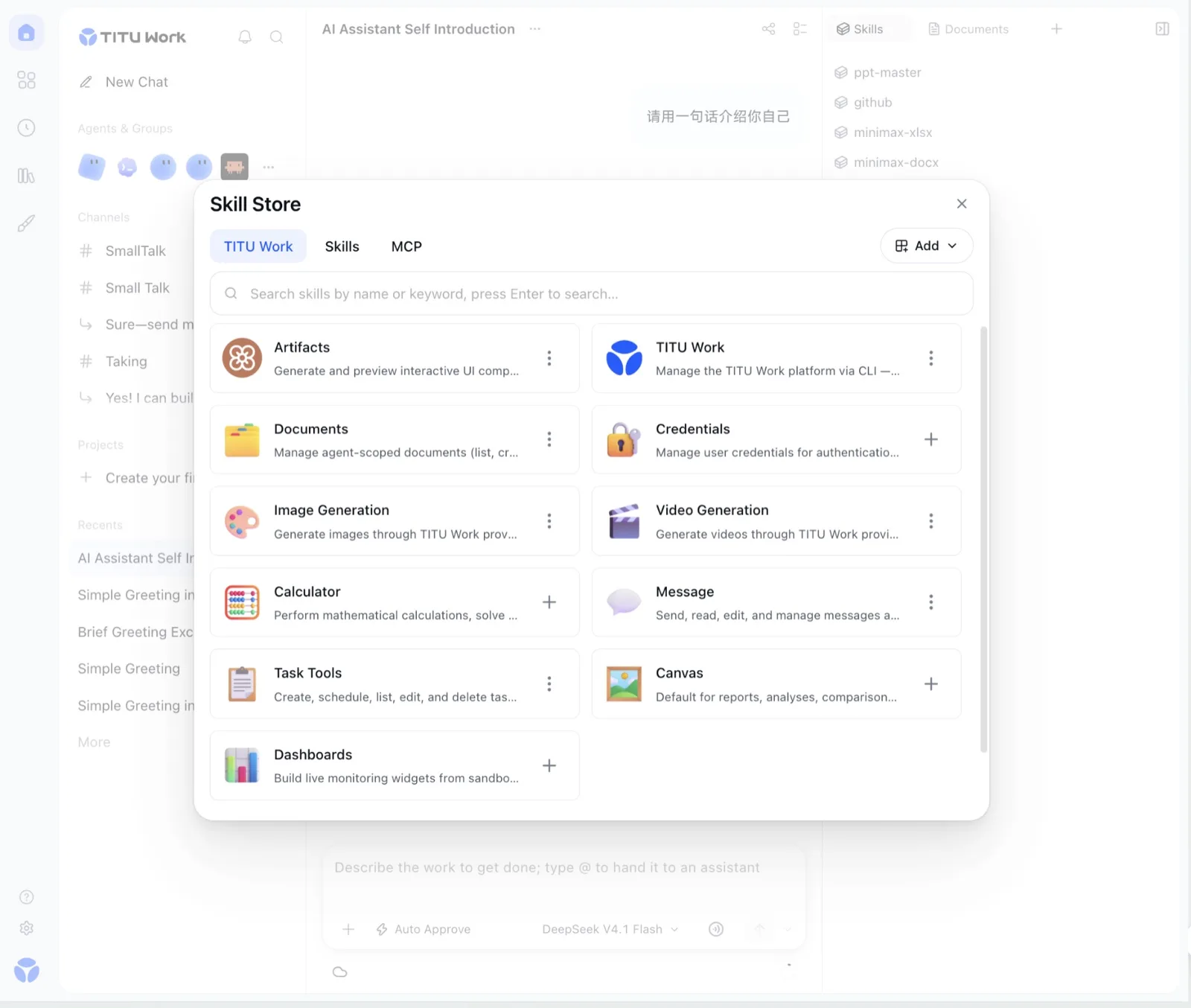
The Skill Store opens from the + → Skills submenu in the chat input box: click Skill Store. It has three tabs at the top:
- TITU Work: built-in capabilities, such as Artifacts, Documents, Image Generation, Video Generation, Calculator, Task Tools, Canvas and Dashboards.
- Skills: community skills.
- MCP: connectors; see Connectors.
Use skills in a chat
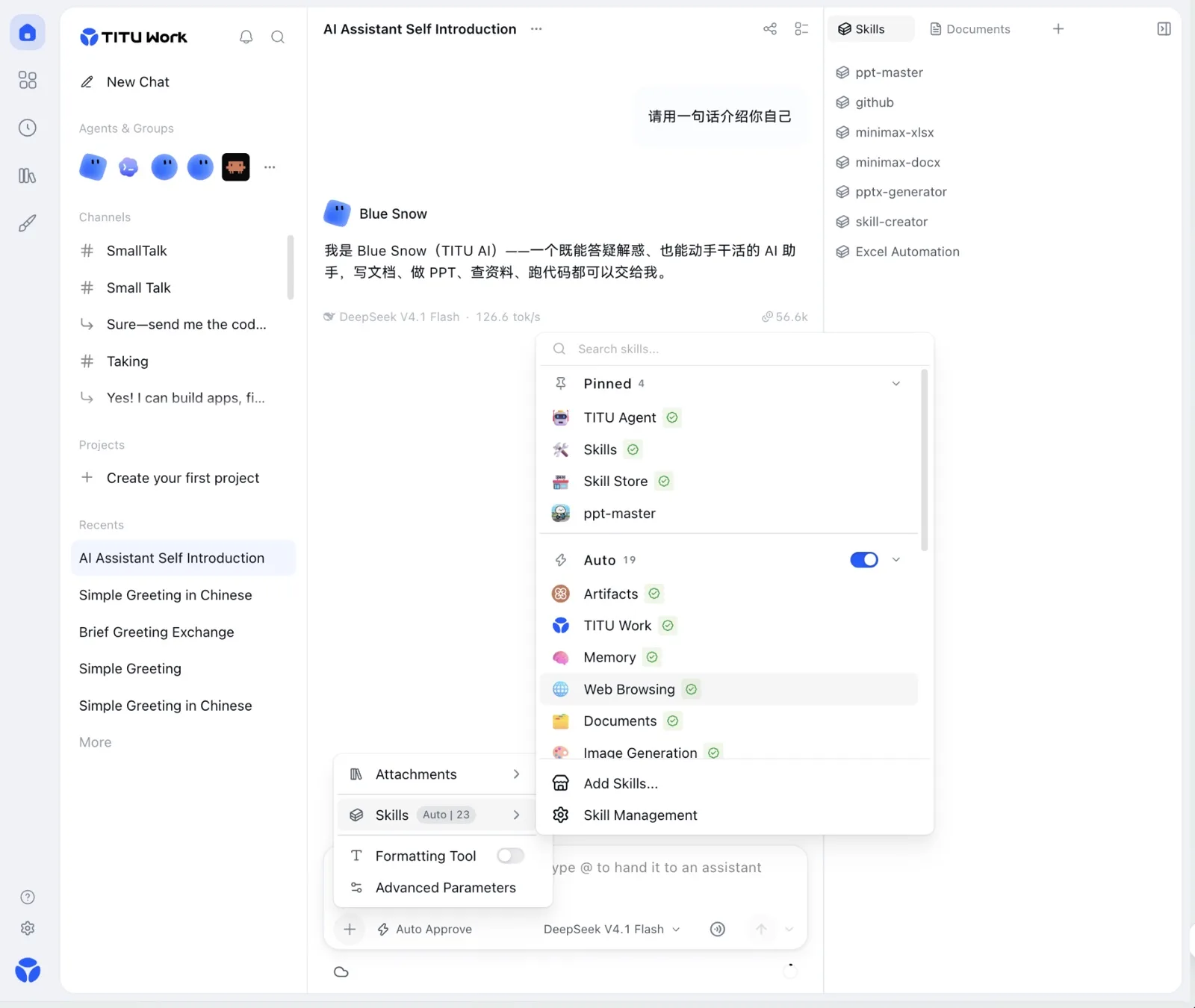
- Type
@in the input box and pick a skill from the Skills group. - Click + → Skills to search skills and see the Pinned and Auto groups. Add Skills... and Skill Management are at the bottom.
View and uninstall
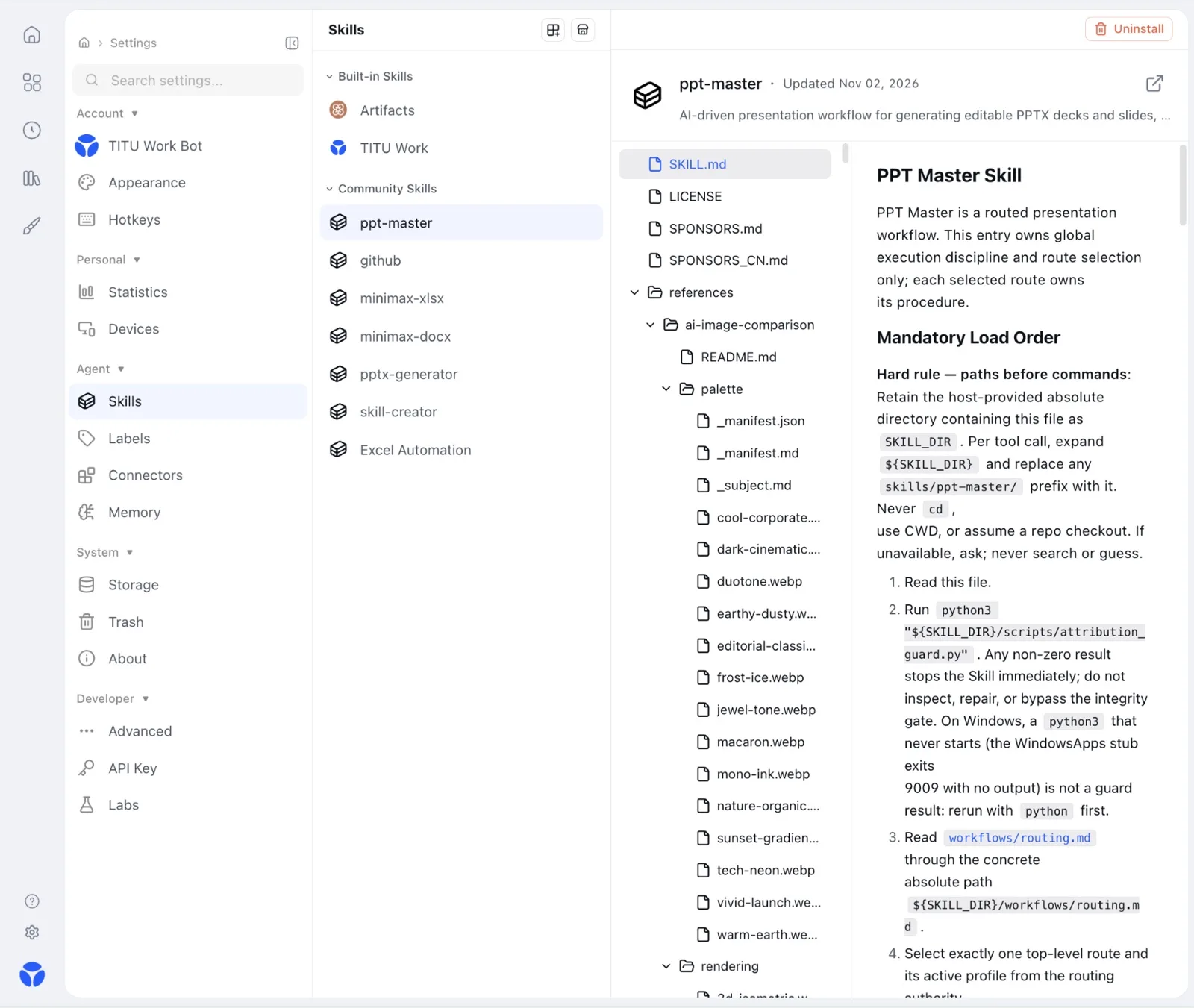
In Settings → Skills, the middle column is split into Built-in Skills and Community Skills, and the right side shows the selected skill's file tree and a SKILL.md preview. Opening a skill's details shows its name, version and update date.
Confirm before uninstalling
Uninstall removes the skill, and the delete icon on each row of the Skills panel on the right of a chat also removes that skill. Make sure you no longer need it first.
Related reading
Was this page helpful?