

Connectors
A Connector lets an agent call external systems and tools, and you can set which tools need your approval.
Last updated on
A Connector lets an agent call external systems, such as document services, maps, charts or train-ticket queries. In the community this kind of capability is also called MCP.
Built-in tools and community connectors
In Settings → Connectors, the middle column has two groups:
- Built-in Tools: built-in tools, such as Task Tools, Documents, Message, Image Generation and Video Generation.
- Community Tools: connectors installed from the community.
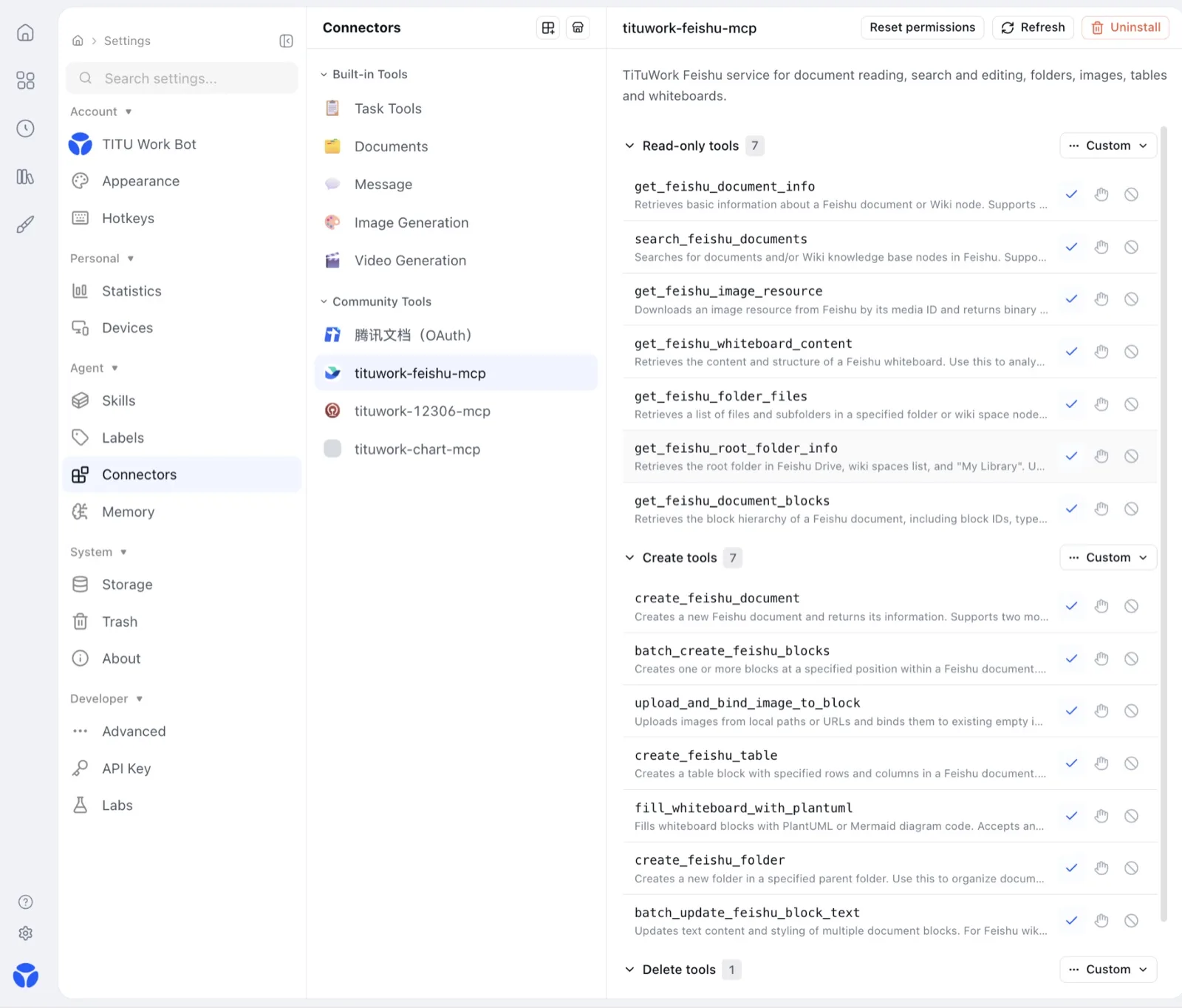
When a connector is selected, the right side has three buttons — Reset permissions, Refresh and Uninstall — and a tool list grouped by category, such as Read-only tools, Create tools and Delete tools. Each group has a Custom dropdown.
Two ways to run
The description of each community connector says how it runs:
- Run locally by the desktop client over stdio: requires a desktop client connected on your machine; see Execution devices.
- Call through the TiTuWork HTTP relay with your own credentials: once you enter your credentials you can use it directly in the web app, and you can also choose local desktop stdio.
If a connector needs credentials, its description says so ("fill in your own credentials...").
Control tool permissions
Each tool has three icons on its right (a tick, a hand and a prohibition sign) that set whether this tool needs your approval each time it is called. When a chat's approval mode is Allow List, these settings apply. The three icons have shapes only, with no text labels. For usage, see Tool approval.
Be careful with delete tools
The Delete tools group contains tools that can delete content. Assess the risk before enabling them, and keep them requiring approval where appropriate.
Related reading
Was this page helpful?