

Usage and tokens
See a reply's context usage, token consumption and conversion to credits.
Last updated on
Below each reply you see the model, the output speed and a number (such as 38,338). Click the number to see the reply's usage.
Context usage
Clicking the number below a reply opens a Context Details panel listing how much is taken by Role Settings, Skill Settings, History Summary and Chat Messages, along with Total Used, Remaining and Total Available.
Token breakdown for a single reply
After you turn on Advanced tools under Settings → Developer → Advanced, you can see the token breakdown for a single reply. See Developer settings.
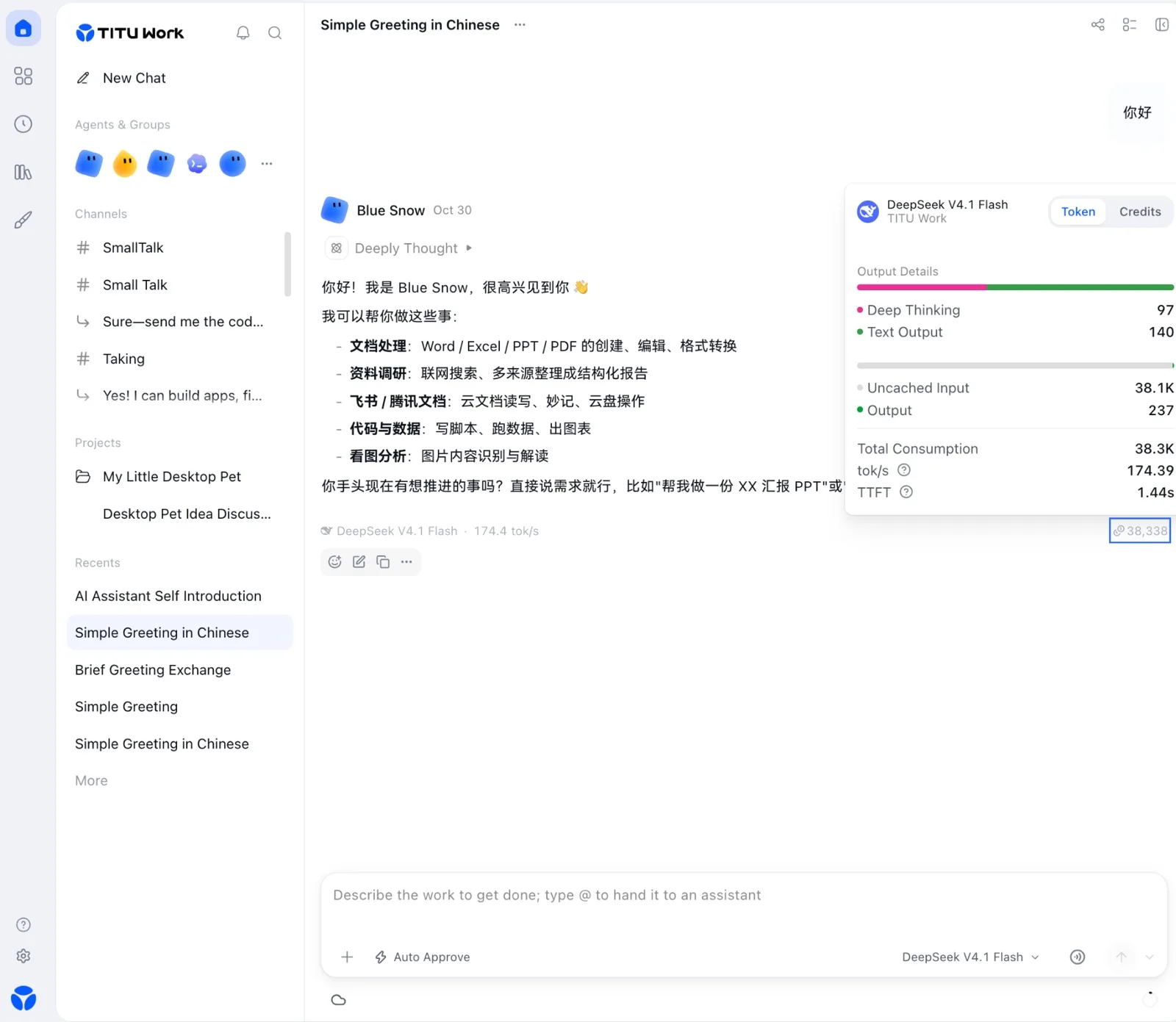
| Item | Description |
|---|---|
| Output Details → Deep Thinking | The thinking part of the output |
| Output Details → Text Output | The body text of the output |
| Uncached Input | Input that was not cached |
| Output | Total output (thinking plus body text) |
| Total Consumption | Total consumption for this reply |
| tok/s | Output speed |
| TTFT | Time to first token |
Conversion to credits
In the same panel, click the Credits tab at the top right to convert the reply's tokens to credits at the unit prices. The three prices after Pricing are, in order: the cached input price, the input price (↑) and the output price (↓).
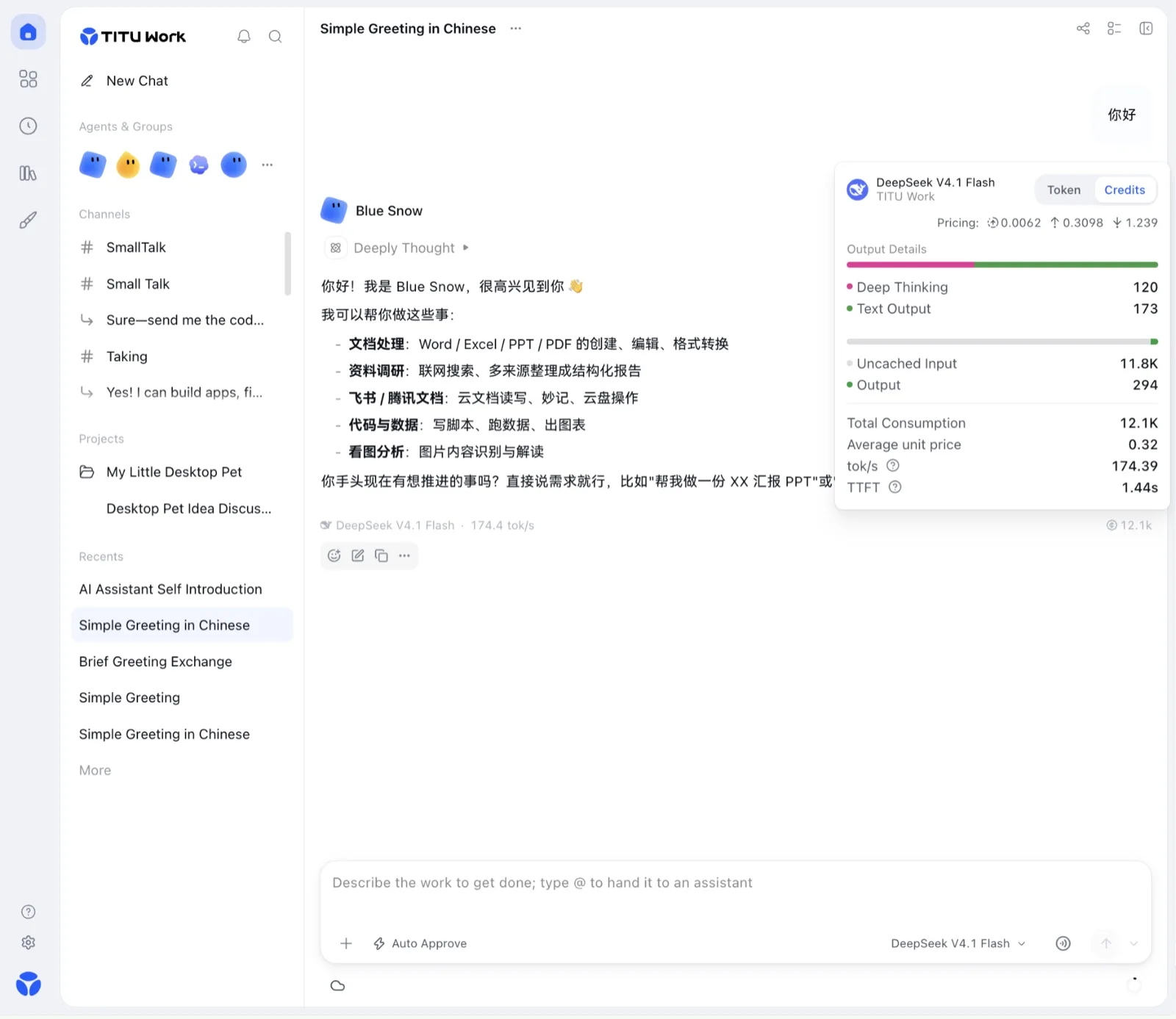
The two tabs are two ways of measuring the same reply, and the numbers can be cross-checked: the input token count times the input price, plus the output token count times the output price, gives the credits. For example, about 38.1K uncached input at an input price of 0.3098 converts to about 11.8K credits.
About units
The interface does not label the unit of these prices or of total consumption, so this page records the numbers without units.
When choosing a model
Models differ in consumption. The multiplier in the list is a rough guide; see Choose a model.
Was this page helpful?